
How it works
From a checkout click to a printed card in the box
Four things happen, and only one of them is yours: you paste a script tag and store a token. The rest — the card library, the print, getting it into the right carton — sits on our side of the line.
Step one
What your customer sees
The widget renders inline, wherever you put the container. It is not a modal, an iframe overlay or a redirect, so nobody leaves the cart to use it.
-
They pick an occasion
Ten to choose from, or however many of the ten you have switched on. If your customers say “Anniversary” where the library says “Wedding”, you rename it — the label is yours, the artwork underneath is the same.
-
They choose a design
Only the designs enabled for your account, in the order you set. Twenty-seven ship in the shared library; you can hide any of them, and you can add your own.
-
They write the message
Free text, previewed on the card as they type, set in the typeface and at the size that design was laid out for. Each design carries its own margins, message box and point size, so a long note on a busy card does not spill over the artwork.
-
The price goes on the order
Whatever you set
setPriceto. The customer pays it at checkout with everything else — no second transaction, no separate shipping line.

Step two
What you install
A container and a loader. The loader is the standard async snippet — it queues calls made before the bundle arrives, so init and setPrice are safe to call on the line after it.
<!-- wherever you want the card picker to appear -->
<div id="giftlift-widget"></div>

<script>
  (function (w, d, s, o, f, js, fjs) {
    w['JS-Widget'] = o;
    w[o] = w[o] || function () { (w[o].q = w[o].q || []).push(arguments) };
    js = d.createElement(s), fjs = d.getElementsByTagName(s)[0];
    js.id = o; js.src = f; js.async = 1;
    fjs.parentNode.insertBefore(js, fjs);
  }(window, document, 'script', 'mw',
    'https://dzqi3b5s5jl7u.cloudfront.net/giftlift/widget/app.bundle.js'));

  mw('init', { gl_widget_id: 'YOUR_WIDGET_ID', container: 'giftlift-widget' });
  mw('setPrice', 5.00);
</script>
Your widget ID is scoped to your origins
Every widget ID is registered against a list of origins — the hostnames your checkout actually runs on, plus whatever you develop against. The API answers requests from those and refuses everything else, which is why lifting the snippet off this page and running it somewhere else gets you a stub rather than a working card picker.
It also means you tell us your staging host up front. A widget that works in production and quietly draws nothing on localhost is the most common first-day surprise, and it is a configuration line rather than a bug.
Changing the price
setPrice takes a number and nothing else. Raise it for the holidays, drop it for a promotion, set it to zero and give the card away as a loyalty perk — it is a value on your page, not a setting you have to ask us to change.
Step three
What your store sends us
When a shopper finishes a message, the widget posts it to the API and gets back a token. That token is the whole handoff. Store it the way your platform stores anything else attached to a line: a line-item property on Shopify, an order attribute elsewhere, a column if you built the checkout yourself.
The message text does not need to travel through your systems, sit in your database or appear in your order exports. You hold a token; we hold the message and the design it belongs to.
The token also carries a reference — your order number, or whatever identifier you want the card matched against downstream. Set it and the card is tied to that order from the moment the customer clicks; leave it and it can be attached later, before the order is packed.
Step four
What happens at the fulfillment center
The card is printed at pack time on UnDigital's print hardware at the fulfillment center, matched to the order it belongs to, and put in the carton with everything else.
It is a 5 × 7 inch card, printed in full color at 300 dpi. The message is set in a handwriting face — most of the library uses Caveat — positioned inside the design rather than stamped across it.
Nothing in the warehouse changes to support this. There is no card stock to hold, no occasion to guess at ahead of the season, nobody transcribing a message off a pick list, and no risk of the sentimental card for order 4471 landing in the box for 4472.
The library
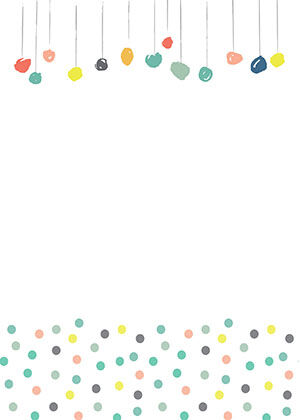
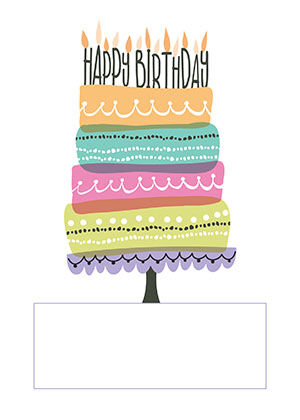
All twenty-seven designs
The shared library, as the widget serves it. Every card reserves space for the message and carries its own type size, line height and margins for that space. Switch on the ones that suit your brand and hide the rest.
Birthday

Thank You



Congratulations



Wedding




Thinking of You


Happy Holidays
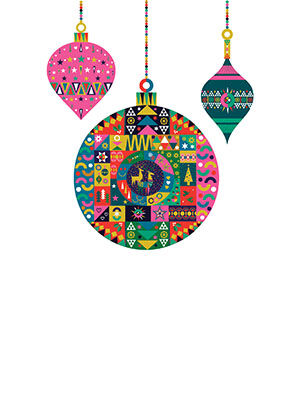


Merry Christmas
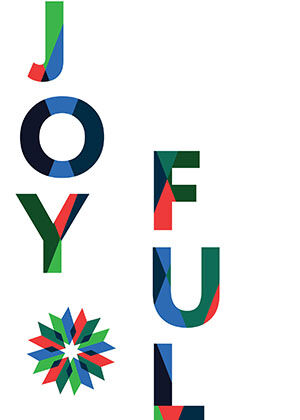

Mother's Day


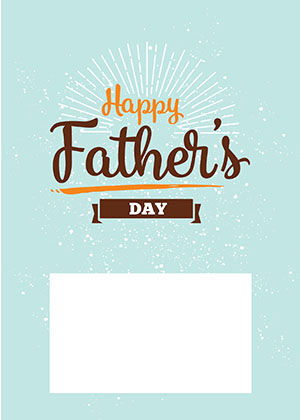
Father's Day

Graduation


What you control
-
Which occasions appear
Enable the ones that fit. A brand that never sells a wedding gift does not need a wedding card cluttering the picker.
-
What they are called
Every occasion and every design takes a name override. The library's label is a default, not a constraint.
-
What order they appear in
Sorted per account. Put the seasonal one first in November and move it back in January.
-
Your own artwork
Designs can belong to your account rather than the shared library. Send us the files and the message area you want, and they show up alongside — or instead of — the twenty-seven.
For developers
The widget API
The bundle calls these four endpoints, and so can you if you would rather build the picker into your own checkout components than use the one we ship. Everything is scoped to your widget ID, and every request is checked against your registered origins.
| Method | Path | What it does |
|---|---|---|
GET |
/api/v1/giftlift/:widget_id/categories |
The occasions enabled for your account, in your order, under your names. |
GET |
/api/v1/giftlift/:widget_id/templates |
The designs enabled for your account, each with its artwork, thumbnail, and the message box, typeface and point size that design was laid out for. |
POST |
/api/v1/giftlift/:widget_id/messages |
Creates a gift message against a design and returns its token. |
PUT |
/api/v1/giftlift/:widget_id/messages/:token |
Edits a message that has not been printed yet — a shopper going back a step, or your order system attaching a reference after the fact. |
Base URL https://api.undigital.com. Ask us for your widget ID and we will send the origins list we have on file for you along with it.
We will set up a demo widget against your staging checkout so you can try the whole path.
Book a demo